




Gardens & river views
An easy morning outside
In your dayFind things to do that fit you, keep a list of the places you’re excited about, and get days planned around everyone who’s coming.
Or watch Trippa plan a dayIllustrated example: Thursday in Kyoto. 07:30 Fushimi Inari at dawn, 12:30 Lunch at Nishiki Market, 19:00 Kaiseki dinner.
A chat assistant is great for ideas. Trippa keeps going: it saves the places you’re excited about and turns them into days built around everyone on the trip.
Example: asking for “Things to do in Lisbon with two kids who love animals” returns ideas; the aquarium, a garden café and a tram ride are saved and the late show is passed on; Trippa then plans a day around the kids’ nap, a stroller and a booked dinner.
Illustrated example with fictional places.
One family plans a Tuesday in Porto. Then you take over.
An easy morning outside
In your dayA proper pause, all together
Booked · stays putA detour. An ice cream. Nothing at all.
Market saved for another day.
Illustrated sample with fictional travelers, plans, and bookings. Watch Jamie plan a day, or take over and try it.
Your people, your pace, your kind of day. You decide what makes the plan.
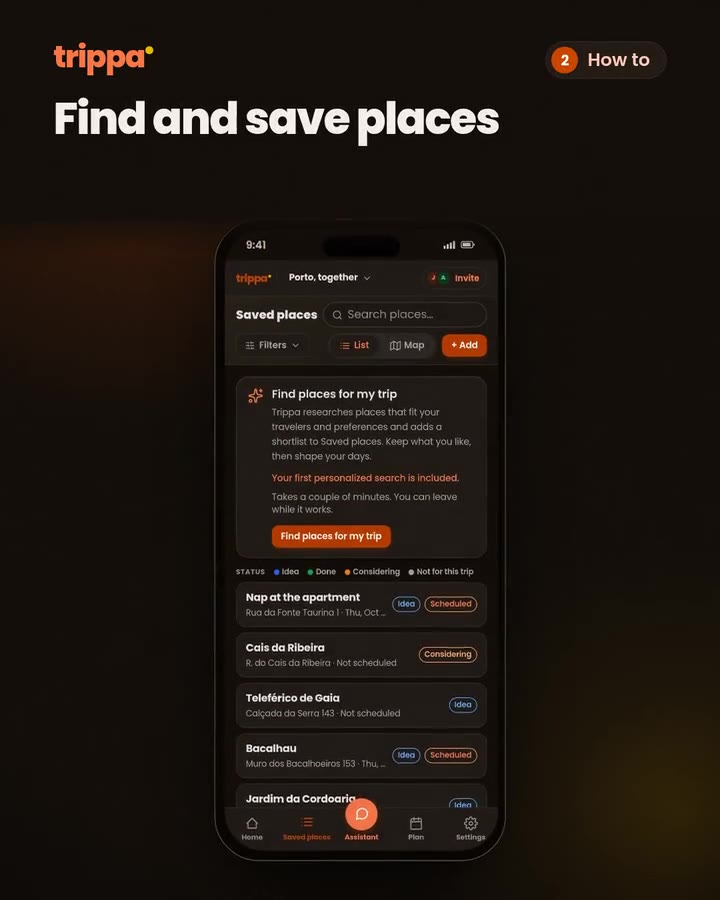
Ask Trippa for places that fit your people, and save the ones you like with one tap.
25 seconds · No sound
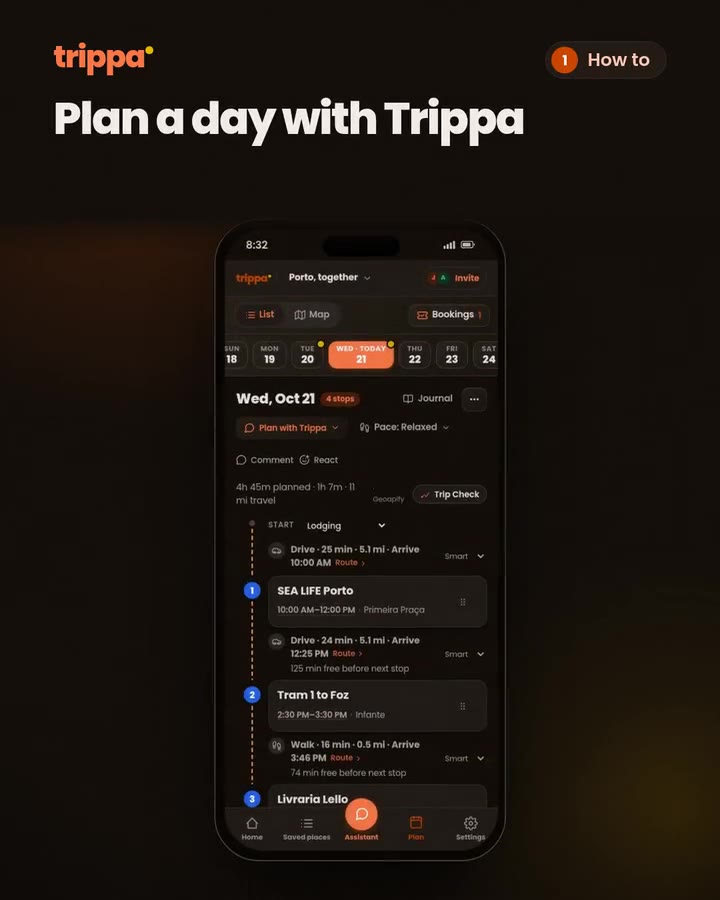
Tell Trippa what the day should hold. It plans around meals and naps: park at 9:30, lunch by the river at 11:15, a café after the nap.
32 seconds · No sound

Before you head out, Trip Check runs the day against hours, travel and pacing, and proposes a fix you can undo.
19 seconds · No sound
Bring your people, share ideas, and keep the conversation next to the plan. You choose who can make changes.
Lunch here after the gardens?
Comments stay with the place, not lost in a chat.
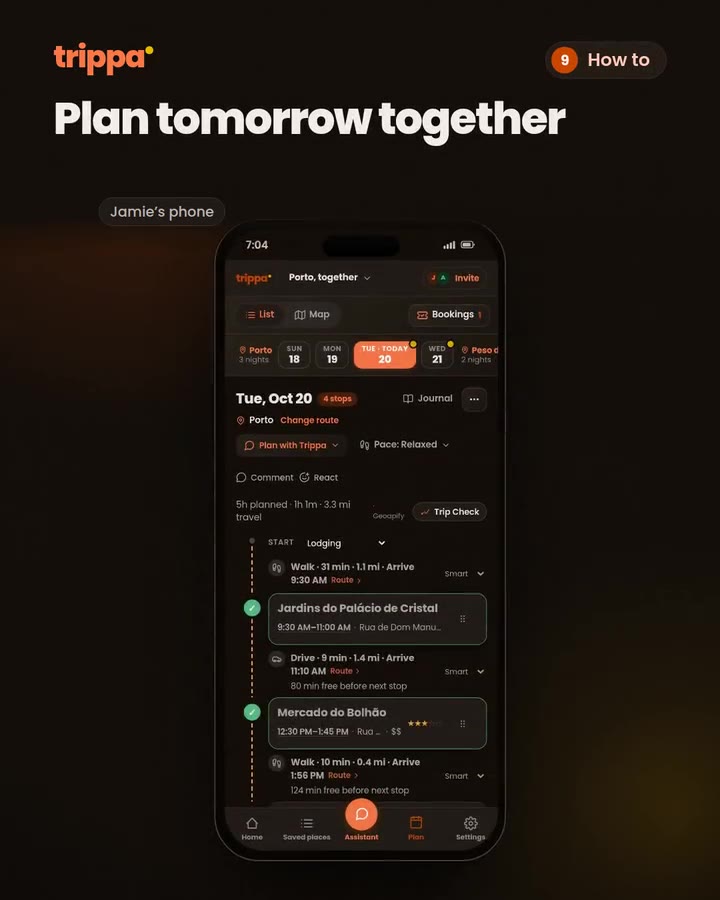
Planning tomorrow from the couch: add a stop on your phone, and your co-planner can react and reply on theirs.
42 seconds · No sound
More how-to videosYour guide, your next stop, your change of plans. Trippa keeps the context of your trip, so you don’t have to explain it all again.
A short route, with time to linger.
Get your bearings before heading into the gardens.
Take the easy loop and leave room for a detour.
Pause by the water before your next stop.
Interactive illustration with fictional places. Creating guides and replanning need a connection; check local conditions before heading out.
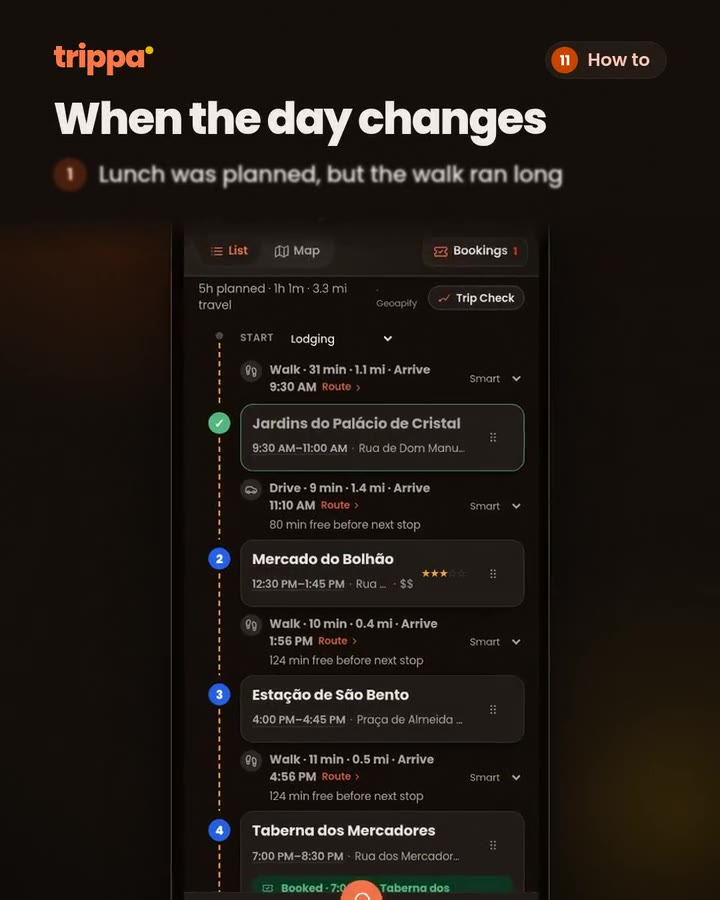
Walk ran long? Tell Trippa. It finds lunch nearby that's open now and fits it into the day.
40 seconds · No sound
More how-to videosFree during beta. No card required. Applications are reviewed before access is granted.
Applications are reviewed. If approved, we email a single-use invitation link. Your application expires after six months, and an invitation expires after 14 days.
You share the destination, dates, travelers, and needs. Trippa researches options in that context, helps build days, and flags timing conflicts, overloaded days, and missing reservations.
Yes. The beta includes the available planning and assistant features at no charge, with no payment method required. Check the current access option above; checkout is disabled during the beta.
Yes. Trippa explains recommendations and shows proposed changes before substantial updates are applied. You can adjust the plan yourself, too.
Alex · on lunchA table outside would be lovely.